


UVOtv: Watch Live TV & Movies
3.650.00 Reviews
App Specs
- Version
- 1.28.20
- Updated On
- License
- Free
- Downloads
- 100,000+
- Developer
- UVOtv Entertainment LLC
- Categories
- Entertainment
- Platform
- Android
Screenshots
 Analysis by AppCompare
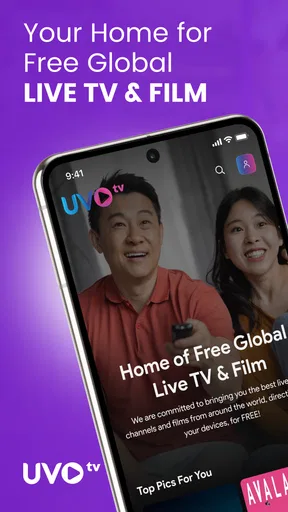
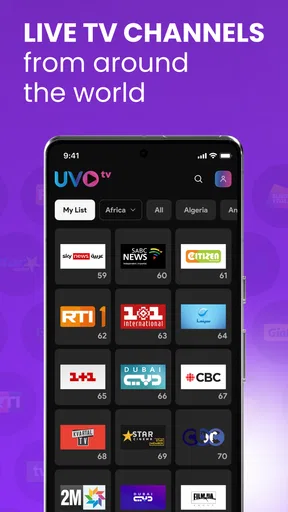
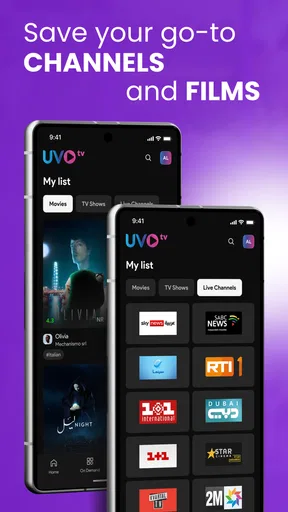
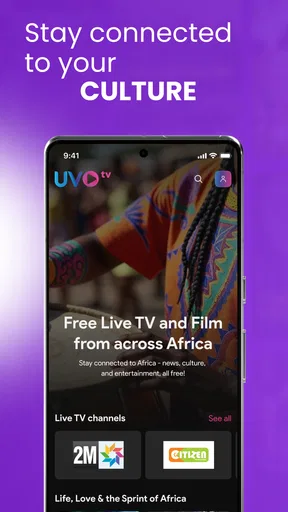
UVOtv: Watch Live TV & Movies is an entertainment app I would describe as a free starting point for viewers who want live international television in one place. Its focus is unusually broad, covering Arab, Indian, African, Latino, and Nepali TV rather than centering on one country or a single language. That makes it more interesting than a typical general streaming app when I am looking for programming connected to a particular community, family background, or language.
I tested it with a practical question in mind: does a no-cost live-TV app make everyday viewing easier, or does the wide selection create more searching than watching? My answer is mixed but positive. The app can be useful for casual channel browsing and for households with several cultural viewing preferences. It is less convincing as a complete replacement for a carefully organized streaming service, especially if I want a predictable catalog, polished on-demand discovery, or a tightly focused local lineup.
How the free access shapes the experience
The most important value point is simple: UVOtv is free to use. That changes the decision considerably because I can try it without committing money to a subscription. For someone comparing international television options, this makes experimentation much easier. I can install it, explore the available live channels, and decide whether the selection fits my routine before considering any alternative that charges for access.
The free model also sets a realistic expectation. I approach the app as a convenient viewing hub rather than assuming it will offer the same depth, consistency, or presentation as a premium service. That distinction matters. A paid platform may be the better choice for viewers who prioritize a refined interface, a strong archive, or dependable access to specific programs. UVOtv’s clearest financial advantage is that it removes the subscription barrier, not that it guarantees every kind of television experience.
UVOtv was released on October 30, 2023, and the current version is 1.28.20. It runs on Android 7.0 or later, which gives it a reasonably accessible starting point for people using older compatible Android devices. The developer is UVOtv Entertainment LLC. Its Teen content rating is also useful context for families: I would not treat the app as an automatically child-directed television environment, so parents should still decide whether the live programming suits younger viewers.
The app has reached over 100 thousand installs, with an average rating of 3.6 from around 168 ratings and about 50 written reviews. I read that overall response as moderate rather than overwhelming. It suggests that the concept works for some viewers while leaving room for differences in channel expectations, playback conditions, and personal taste. I would use the free access to judge it on my own device instead of relying on the rating alone.
What the app is actually good at
The strongest part of the experience is the breadth of its cultural target. Arab, Indian, African, Latino, and Nepali television are very different viewing categories, yet UVOtv brings them under one entertainment app. That can save me from jumping between several narrowly focused services when my viewing changes from one language or region to another.
Worth Reading Before You Choose

EA SPORTS FC Mobile 26 Is a Bigger Football Game, but It Takes Time

Flipboard Shows What News Apps Must Do Beyond the Feed

Switching to Android Auto Means Rethinking Your Driving Routine

Google Calendar Makes a Crowded Week Easier to Manage

Ludo King Makes the Most of the Minutes Between Plans

Baby Panda World Brings Quick Play to Modern Phones, but Its Game Library Feels Busy
A realistic example is a shared household where one person wants Indian programming, another prefers Latino channels, and a visiting relative is looking for Nepali television. UVOtv may not solve every content need, but it gives everyone one place to begin. The benefit is not just the number of categories; it is the reduced friction of having a single app available when the viewer does not want to research a separate service for every audience.
I also see value for language learners and people maintaining a connection with a region they no longer live in. Live television can feel more immediate than a small collection of selected shows because it exposes me to different programming styles, presenters, accents, and schedules. I would use it during a relaxed evening when I want background viewing or when I am curious about what is currently being broadcast rather than searching for one exact title.
Another useful workflow is to treat the app as a discovery tool. Instead of opening it with a fixed program in mind, I can browse across its international focus and note which channels or types of programming are worth returning to. That approach makes the broad catalog a strength. If I expect the app to identify one perfect show instantly, the same breadth may feel less efficient.
Where it differs from ordinary streaming alternatives
Compared with a conventional on-demand streaming service, UVOtv is more about the feeling of turning on television and seeing what is available now. On-demand platforms are usually better when I want a known movie, a particular episode, or a carefully managed watchlist. UVOtv is more appealing when the goal is live browsing across international channels and I am comfortable letting the current schedule guide me.
It also differs from a single-region television app. A specialist service may offer deeper organization for one language or community, while UVOtv’s advantage is the ability to move between several cultural groups. That is a meaningful trade-off. A viewer committed to only one region might prefer a focused alternative with more specialized discovery. A mixed household, traveler, or multilingual viewer may appreciate UVOtv’s wider starting point.
Free access gives it another contrast with paid television bundles. I would not compare them only by channel count because the real question is how often I watch and how specific my requirements are. If I only need occasional international viewing, paying for a full bundle may be unnecessary. If I need a reliable channel at a particular time every day, a dedicated paid provider could be easier to trust after checking its lineup and service terms.
Practical habits that make browsing easier
My first recommendation is to open UVOtv when I have enough time to explore rather than during the final minutes before a program is supposed to begin. A broad international lineup rewards curiosity, but it can also make indecision more likely. I would spend one session identifying the sections that match my interests, then use those discoveries to make later visits quicker.
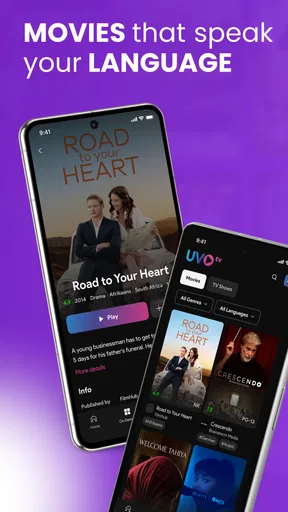
My second tip is to separate “live television” expectations from “movie library” expectations. The app’s name mentions movies, but the confirmed positioning emphasizes live TV across several regions. I would therefore install it primarily for the live international-TV purpose and regard movie viewing as something to evaluate inside the app rather than assuming it works like a large, searchable film catalog.
A third useful approach is to use it for shared viewing rather than treating it as a personal replacement for every service. In a family setting, the app’s range can be more valuable than a narrow interface designed around one person’s taste. A household can decide which cultural category to check first and avoid installing multiple apps just to browse different international sources.
I would also keep a backup plan for important viewing. Live television is inherently schedule-dependent, and a free app is not the right place for me to rely exclusively on a time-sensitive event or a program I cannot miss. For casual viewing, that limitation is minor. For a specific broadcast, I would confirm that the desired channel is available and accessible before planning the entire evening around it.
The trade-offs I noticed before recommending it
The biggest trade-off is breadth versus precision. UVOtv’s international scope is its identity, but a wide range can make the experience feel less focused than a service built for one country. If I already know exactly which station, show, or language I want, I may spend more time navigating than I would with a specialist app.
Free access is valuable, but it also means I should judge the app by convenience rather than expecting a premium replacement for cable or a major subscription platform. The absence of a subscription cost makes trying it low-risk, yet it does not by itself answer questions about whether every desired channel, program, or viewing habit will be supported. I would make the decision based on actual use over several sessions.
The Teen rating is another reason I would use some judgment in a family environment. Since the app brings together live programming from different cultural categories, I would not hand it to a child as an unsupervised entertainment source. Adults looking for international channels should find the rating easy enough to understand, but households with younger viewers should choose content deliberately.
The moderate average rating also tells me not to assume a universally smooth experience. Ratings can reflect many factors, including individual expectations and device conditions, so I would not treat the score as a technical diagnosis. Still, it is a reminder to keep expectations sensible: the app’s main appeal is access and variety, not a promise of a flawless premium-TV interface.
Who should install it, and who should skip it
I think UVOtv is a good match for multilingual households, diaspora viewers, international students, travelers, and anyone who wants to sample Arab, Indian, African, Latino, or Nepali television without paying for a subscription first. It is especially useful when several people in the same home have different cultural viewing interests and a single broad app is more convenient than several narrow ones.
I would also recommend it to viewers who enjoy serendipity. If I like turning on live television, browsing unfamiliar channels, and finding something interesting without selecting a title in advance, the app’s structure makes sense. Its free price means I can explore that style of viewing without making a financial commitment.
I would skip it, or at least put it behind another option, if my priority is one exact channel, a deep on-demand library, advanced personal organization, or a guaranteed destination for a major live event. A focused regional service may be better for one-language viewing, while a conventional streaming platform may be better for planned movie nights. UVOtv is not the automatic winner simply because it covers several regions.
Device compatibility is straightforward for Android users with version 7.0 or newer. Before installing, I would check the Android version on an older phone or tablet, particularly if it has not received updates for a long time. The app is free, so the main decision is not whether the purchase is worth the money; it is whether its international live-TV focus fits the way I watch.
My verdict on UVOtv’s value
I recommend UVOtv: Watch Live TV & Movies as a low-risk option for free international television browsing. Its best quality is the combination of several cultural viewing areas in one place, which can be genuinely helpful in a multilingual home or for anyone seeking a connection to programming beyond the usual mainstream services.
I would not describe it as a universal replacement for paid streaming, cable, or specialist regional platforms. The trade-off is clear: I get broad access without a subscription, but I need to accept that a wide live-TV hub may be less precise and less predictable than a service built around one catalog or one audience. That is a fair exchange when I want discovery and variety more than a carefully controlled watchlist.
My practical buy-or-skip verdict is easy because there is no purchase decision to make: install it if you want to explore international live TV at no cost, and skip it if your viewing depends on a specific program, a deep movie library, or a highly specialized channel lineup. For the right viewer, the real value is inexpensive experimentation with a broad cultural focus. I would keep it as a complementary entertainment app, not promise that it can replace every other way of watching television.
Pros
- Live TV channels and on-demand movies in one app.
- Clean interface makes browsing content straightforward.
- Useful search tools help find shows and movies quickly.
- Supports watching on compatible mobile and streaming devices.
- Regular content updates provide fresh viewing options.
Cons
- Channel and movie availability varies by location.
- Some content may require a paid subscription or add-on.
- Streaming quality depends heavily on your internet connection.
- The app may show advertisements during free viewing.
- Background playback and offline viewing may be limited.
FAQs for UVOtv: Watch Live TV & Movies
What is UVOtv: Watch Live TV & Movies?
UVOtv: Watch Live TV & Movies is a streaming application designed to give users access to live television channels, movies, and other on-demand entertainment from a mobile device. Its available catalog, channel selection, and supported content can vary by country and may change over time. Before downloading, check the current app description and regional availability.
Is UVOtv free to download and use?
The application may be free to download, but access to all channels, movies, or premium features can depend on the service plan available in your region. Some content may require registration, a subscription, or another form of payment. Review the pricing details shown in the official app store and inside the application before starting a trial or subscribing.
Does UVOtv require an internet connection?
Yes, UVOtv relies on an internet connection to stream live television and on-demand movies. A stable Wi-Fi or mobile-data connection is recommended, especially for high-quality video. Streaming can consume a significant amount of data, so users with limited mobile plans should monitor usage. Playback quality may also decrease automatically when the connection is slow or unstable.
Can I watch UVOtv on a smart TV or other devices?
UVOtv is primarily intended for supported Android or iOS devices, although compatibility with smart TVs, streaming platforms, casting features, or web browsers may depend on the current version of the service. Check the official listing and the app’s settings for supported devices. Some features may require signing in with the same account across compatible platforms.
Is UVOtv safe and legal to use?
The safest way to install UVOtv is through the official Google Play Store or Apple App Store, where the listed developer, permissions, privacy information, and user reviews can be checked. Content availability and licensing may differ by location, so users should use the service according to local laws and its terms. Avoid unofficial APK files or modified versions.


